Feature
Klaviyo Email PDF for Client Approval
Previyo saves any Klaviyo email as a full-length PDF for client approval: the exact email at 600 px or 375 px, images included, with no page breaks or Klaviyo interface. Clients open it anywhere, forward it to whoever signs off, and you keep the approved file as a record. Export one email or a whole campaign calendar at once.
Why clients struggle with Klaviyo preview links
Klaviyo's share preview link is useful during feedback, but it isn't built for sign-off:
- It expires 7 days after you create it.
- It's limited to 10 addresses. When the client forwards it to their legal team or founder, the new reader can't open it unless you add them.
- Reviewers have to enter a listed email address to open it, which reads like a login prompt to many clients.
- It covers drag-and-drop emails only.
Older Community threads, from before today's share link, describe clients who couldn't open previews without a Klaviyo account. The pattern is the same: the client wants a file.
We compare both in detail in Klaviyo preview link vs PDF export.
A PDF that shows the exact email, images included
PDF proofs of HTML emails often arrive with missing images or with page breaks through the hero. Previyo avoids both. It takes the email's HTML from the Klaviyo preview, embeds each image from Klaviyo's image CDN, lays the email out at email width and saves it as one tall page.
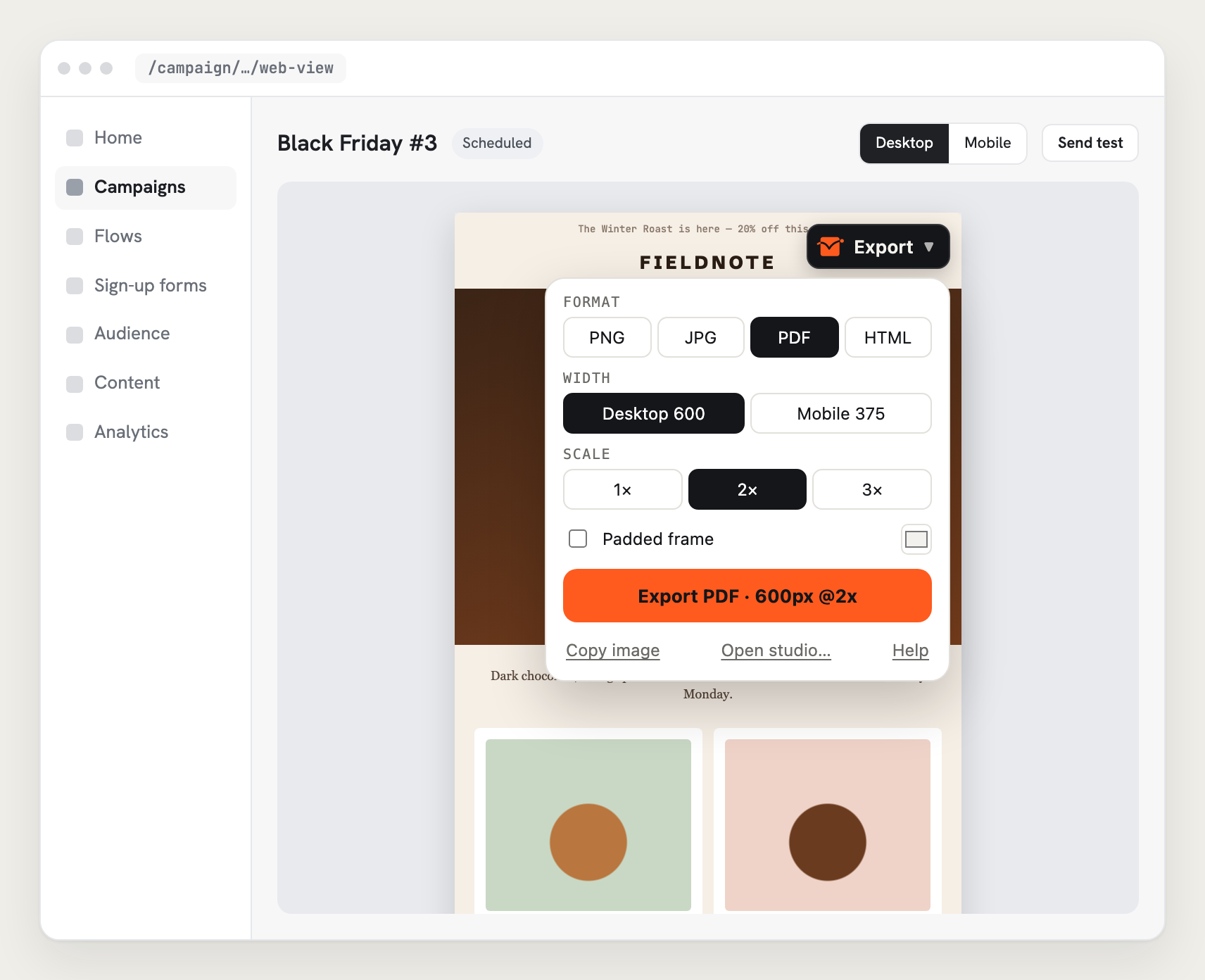
What the client sees:
- the whole email, header to footer, on white;
- every image in place;
- no Klaviyo toolbar, no browser chrome, no blank pages;
- sharp text at 2× or 3×.
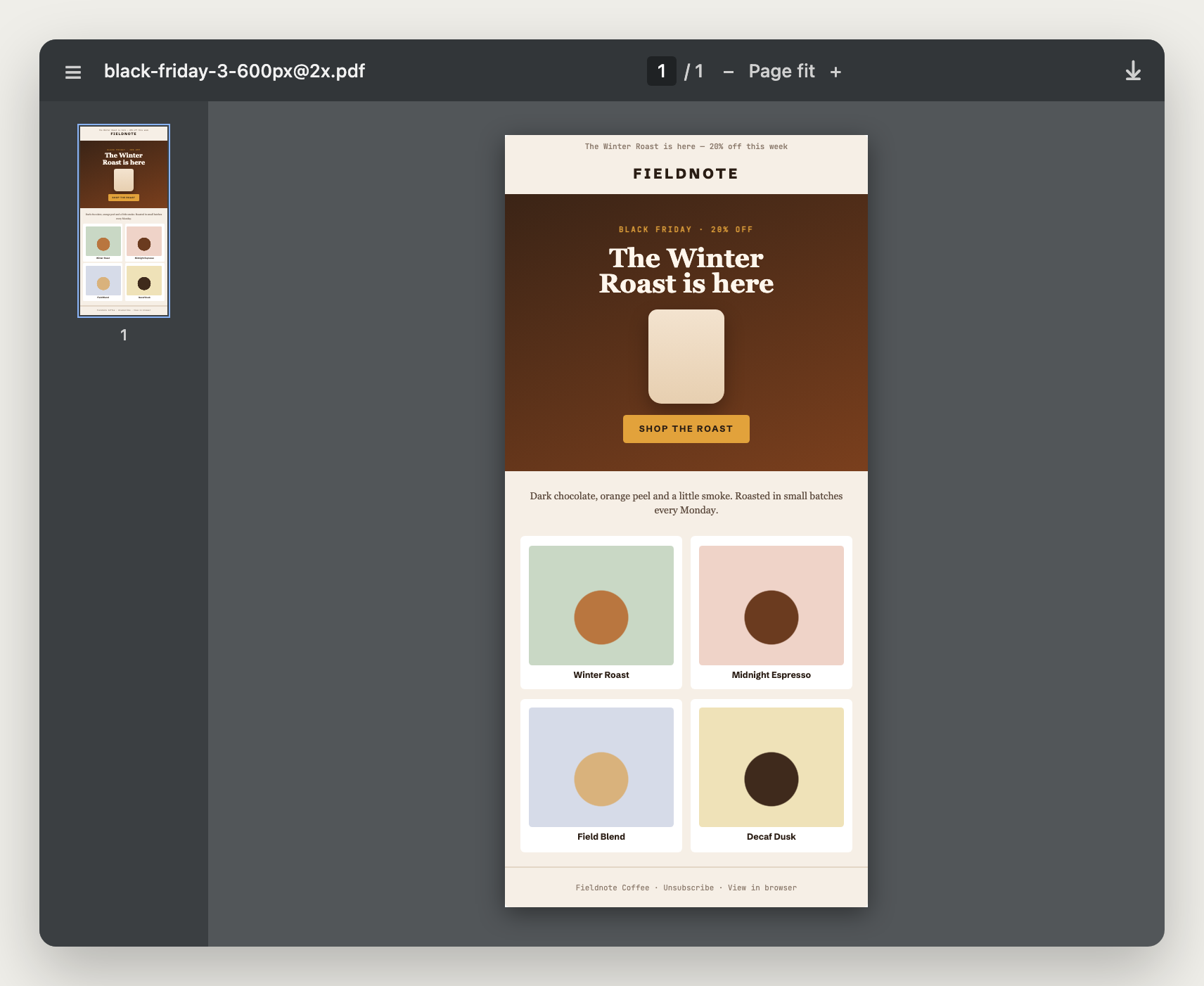
The PDF contains the email as an image, so links aren't clickable. If the client needs to test links, send the preview link for that and keep the PDF as the sign-off record.
Desktop and mobile in one approval round
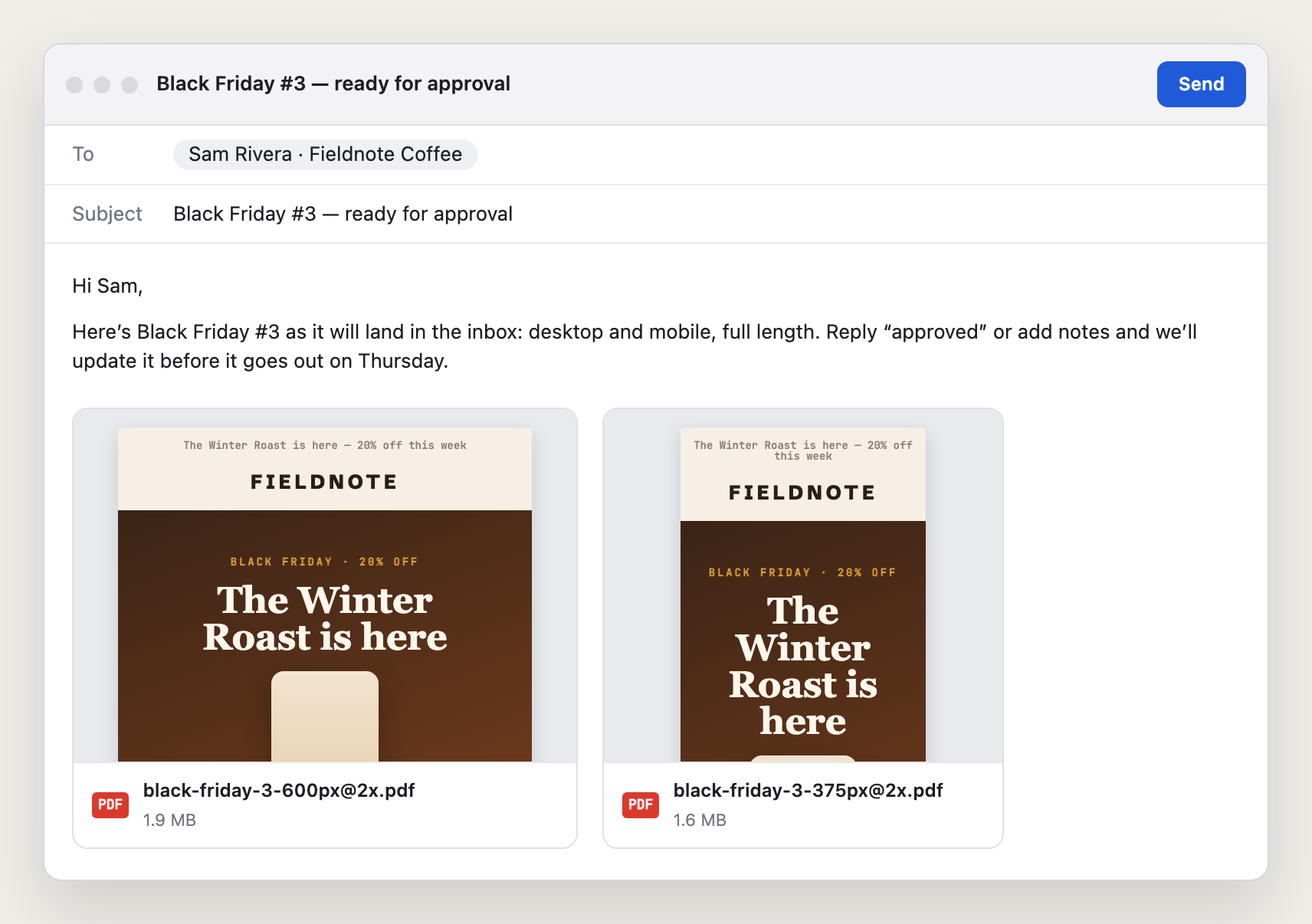
Clients approve on a laptop; many of their customers read on a phone. Choose Both in the export options and each email comes out as two files: -600px for desktop and -375px for mobile. The mobile file is re-rendered at 375 px, so columns stack the way they do on a phone. It's not the desktop email shrunk down.
Works with your proofing tool
Previyo doesn't replace your approval workflow; it gives it a file. Drop the PDF or PNG into:
- Filestage or PageProof for version tracking and comments on the image;
- Figma or FigJam for annotated feedback;
- Slack, Teams or email for quick sign-offs;
- Google Drive or Notion as the approval archive.
No one needs a Klaviyo account, a new login or an invite.
Approving a whole campaign calendar at once
For weekly or monthly approval rounds:
- In Klaviyo's campaign list, tick every campaign in the round.
- Click Export in the black bulk-actions bar.
- Choose PDF and Both widths.
- Send the client one ZIP, with every file named after its campaign, for example
black-friday-3-600px@2x.pdf.
More on file names and folders on the bulk export page. Flow emails work the same way, numbered in canvas order.
Native Klaviyo options
Klaviyo has no PDF export. The usual workarounds are sending a test and printing it to PDF from Gmail (adds Gmail's header and page breaks, and test sends count toward your monthly preview limit), printing the preview from the browser (often clips the email or prints the interface), or the share preview link above. Step-by-step comparison in how to export a Klaviyo email as a PDF.
Private by design
Previyo runs in your browser. No account, no API key, no Previyo server. Client emails are rendered on your computer and saved to your downloads; they're never uploaded.
FAQ for agencies
Can I white-label the PDF?
The PDF contains only the email itself. There's no Previyo branding on it during the beta.
Can the whole team use it?
Yes. Each person installs the extension in Chrome or Firefox. It's free during the beta. An Agency plan with 5 seats ($29/month) is coming January 2027; see pricing.
Does the client need Klaviyo?
No. They receive a standard PDF or PNG that opens in any viewer.
Is Previyo affiliated with Klaviyo?
No. Previyo is an independent extension. It is not affiliated with or endorsed by Klaviyo.
Export your first full-length email
Free during the beta. No account, no API key.