Feature
Export Klaviyo Flow Emails to PNG, PDF or ZIP
Previyo exports every email in a Klaviyo flow in one go. Choose Export flow emails with Previyo from the flow's ⋮ menu, pick a format and width, and you get one ZIP with a full-length file for each email, numbered in the order the flow canvas shows them. Select several flows to get one folder per flow.
Three ways to start a flow export
- Flows list, one flow. Click the ⋮ menu on the flow's row and choose Export flow emails with Previyo.
- Flow editor. Inside a flow, open the ⋮ menu in the header and choose the same item.
- Flows list, several flows. Tick the flows you need and click Export in the black bulk-actions bar.
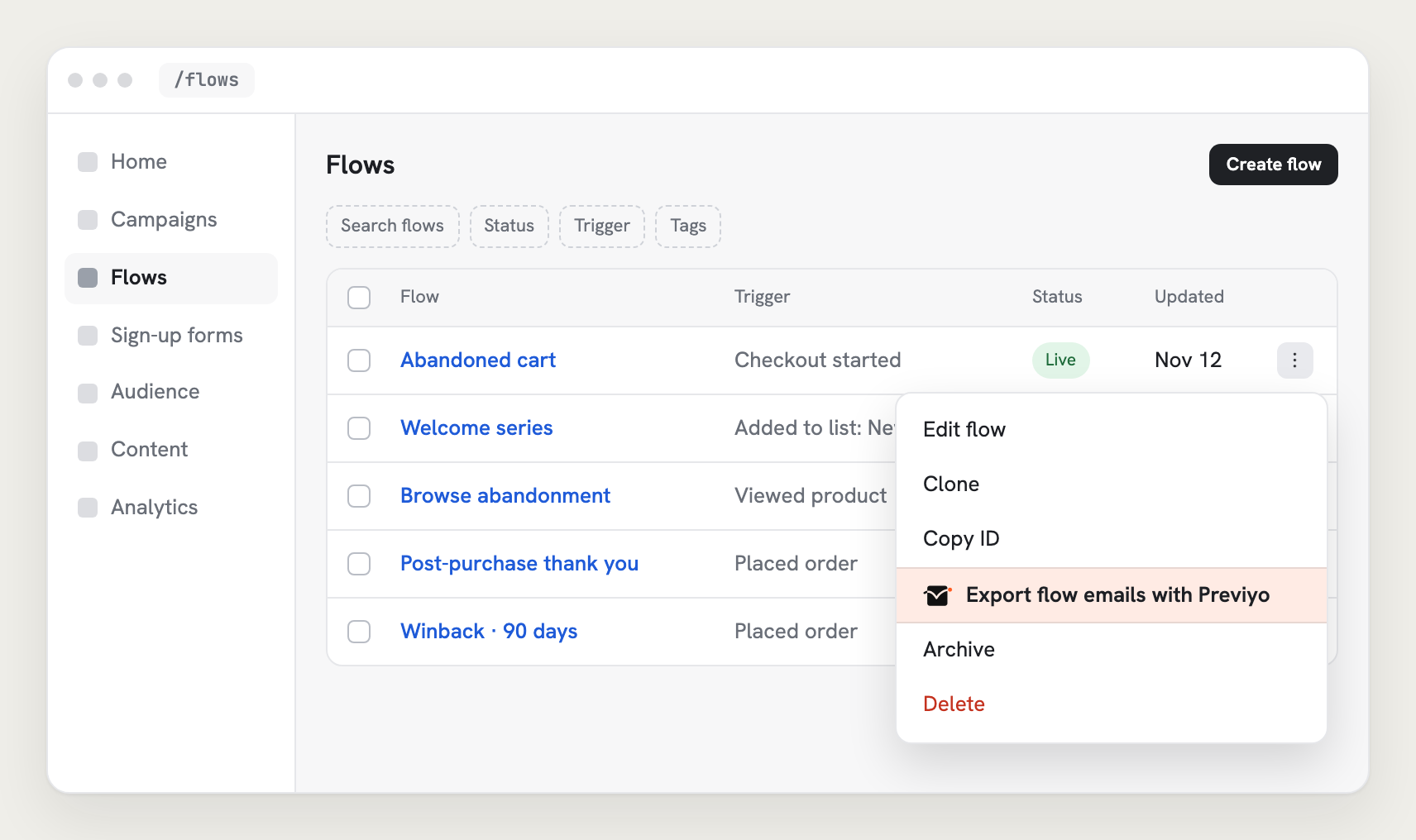
Then choose:
- Format: PNG, JPG, PDF or HTML;
- Width: Desktop 600, Mobile 375 or Both;
- Scale: 1×, 2× or 3×;
- Frame: optional padding and a background color, for portfolio and case-study images.
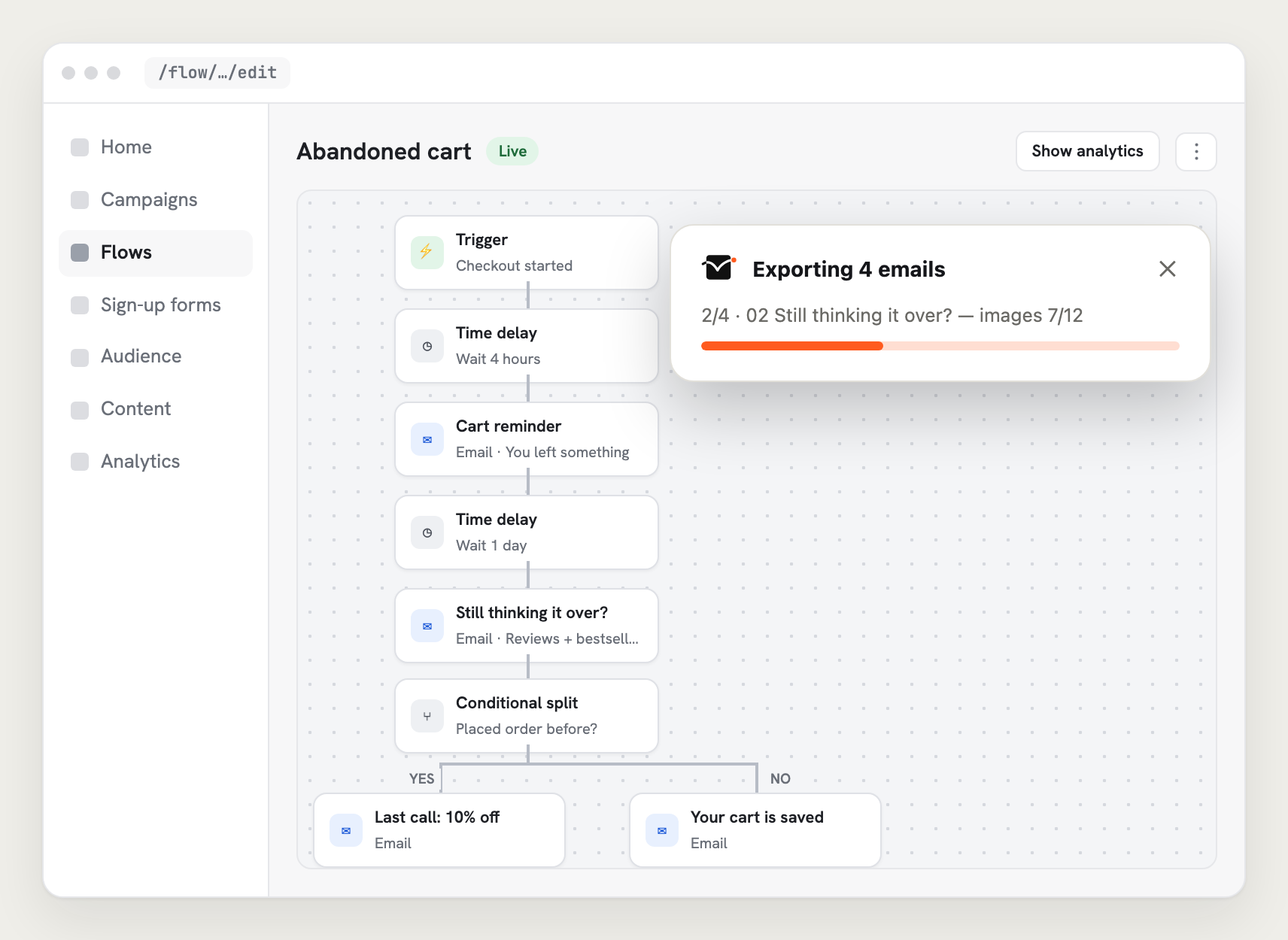
What's in the ZIP
Previyo reads the flow the way Klaviyo's flow builder does, finds each email step, and renders each email from its preview.
- Numbered in canvas order:
01-welcome-1-600px@2x.png,02-welcome-2-600px@2x.png, and so on, so files sort the way the flow runs. - Every branch: emails on both sides of a conditional split are included, in canvas order.
- Email steps only: SMS, time delays and other actions are skipped.
- Named after the message, so you can match a file to a step at a glance.
- Several flows: one folder per flow, named after the flow.
- Both widths: each email gives you a 600 px and a 375 px file.
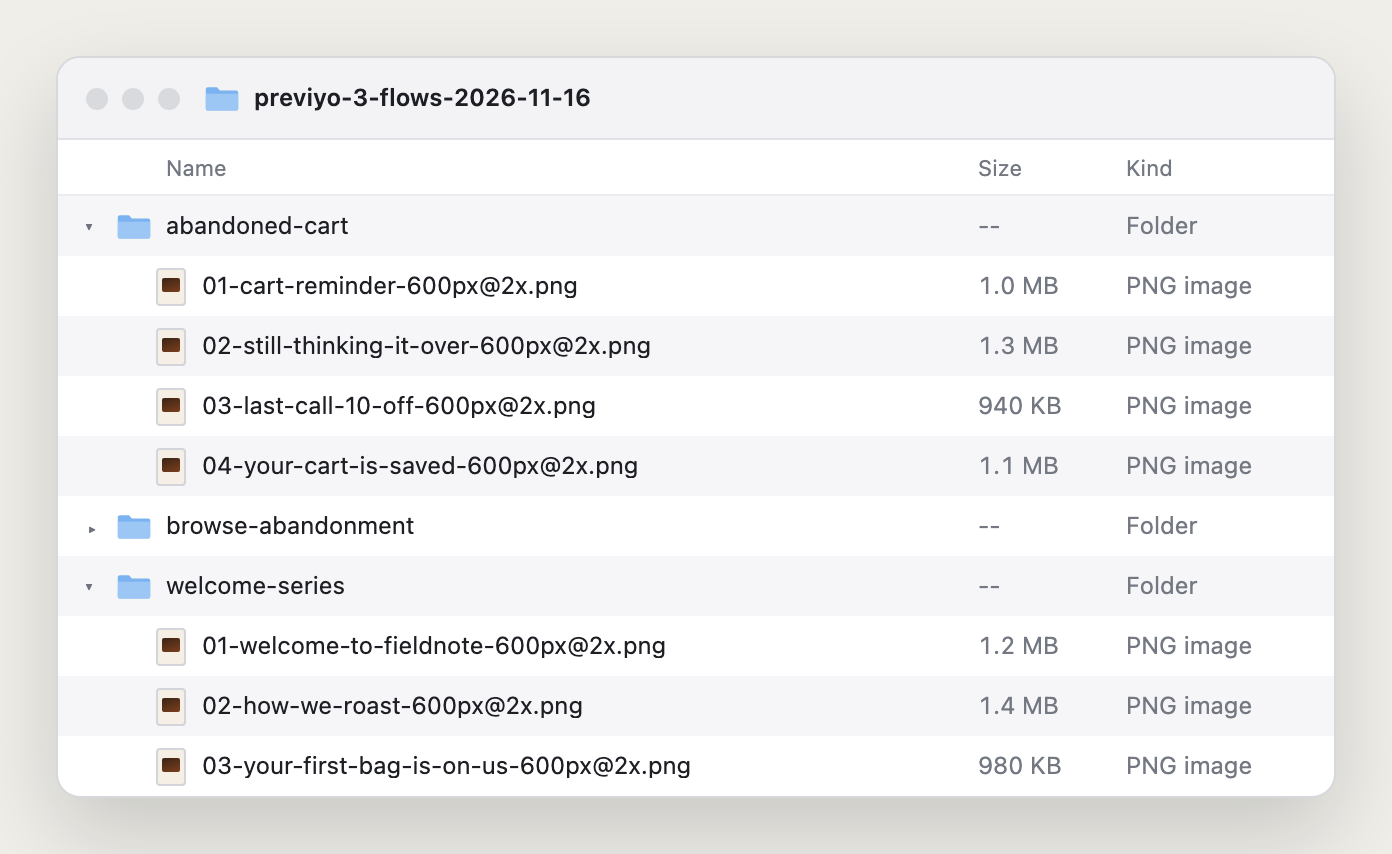
Each file is the whole email from header to footer, images included, on white, without the Klaviyo interface.
What people use it for
- Flow audits. Every email in a welcome, abandoned cart or post-purchase flow, ready for one-slide-per-email review. Our guide on building a Klaviyo flow audit with email screenshots has a deck structure and checklist.
- Client approval. A new or rebuilt flow as PDFs, desktop and mobile, in one attachment.
- Documentation. A record of what each flow sent before you change it, or before moving to another platform.
- Case studies. A full flow, framed and at 2×, for your portfolio.
Native Klaviyo options
Klaviyo has no image or PDF export for flow emails. Natively you can open each email and screenshot it in pieces (the preview scrolls inside a frame), send each one as a test (each recipient counts toward your monthly preview limit), share a 7-day preview link per email, or pull template HTML from the Klaviyo API, which needs a key and gives you code, not images. Klaviyo's flow analytics export is a CSV of metrics, not the emails.
Runs locally
Previyo works inside your logged-in Klaviyo session. There's no account, no API key and no Previyo server. Emails are rendered in your browser and saved to your downloads; nothing is uploaded. Previyo downloads each email's images from Klaviyo's image CDN to draw them into the files.
Long flows take a little while because emails render one after another. Keep the Klaviyo tab open until the ZIP saves. If one email fails, the rest are still saved and Previyo tells you which one went wrong.
Campaigns work the same way: see bulk export.
FAQ
How do I export all emails from a Klaviyo flow?
Open the flow's ⋮ menu in the flows list or the flow editor header and choose "Export flow emails with Previyo". Previyo saves one ZIP with every email in the flow, numbered in canvas order.
Can I export several flows at once?
Yes. Select them in the flows list and click Export in the bulk-actions bar. You get one ZIP with a folder per flow.
Does it cost anything?
Previyo is free during the beta. Paid plans are coming January 2027; see pricing.
Is Previyo affiliated with Klaviyo?
No. Previyo is an independent extension. It is not affiliated with or endorsed by Klaviyo.
Export your first full-length email
Free during the beta. No account, no API key.